
How to Batch Edit Product Photos with AI (2026 Tools Compared)
You've got 150 product photos sitting in a folder, and each one needs a white background, consistent lighting, and a touch of enhancement before your Etsy listings go live. Sound familiar?
Whether you're running a Shopify store, selling vintage finds on Poshmark, or managing a full Amazon catalog, the photo editing bottleneck is real. Manual editing — even with professional tools — can eat up entire days that should be spent growing your business.
The good news? AI-powered batch editing has matured significantly in 2026. Tools now exist that can process hundreds of images with consistent quality, removing backgrounds, enhancing colors, and even staging products — all without the hours of repetitive clicking.
We tested the most popular options to help you find the right fit for your workflow.
Why Batch Editing Matters for E-commerce
Product photography is no longer optional. Marketplaces like Amazon and Etsy actively favor listings with professional images in search results. But the challenge isn't just taking good photos — it's processing them efficiently.
Consider the math: if you're listing 50 new products a week and each needs 5 photos, that's 250 images requiring editing. At even 2 minutes per photo (optimistic for manual editing), you're looking at over 8 hours of pure editing time every week.
"We had a backlog of maybe 150 product images that needed white backgrounds for a marketplace listing, and doing them one at a time in anything else would have taken days. That specific problem got handled in a few hours instead."— Reddit user in r/smallbusiness
This is where batch processing becomes essential. The right tool doesn't just save time — it creates consistency across your entire catalog, which builds brand trust and professional perception.
The Real Pain Points
Before diving into tools, let's acknowledge what makes product photo editing so frustrating:
- Platform requirements vary wildly — Amazon wants pure white backgrounds, Instagram prefers lifestyle shots, and Pinterest needs vertical images with text overlays
- Lighting inconsistencies — Even with a lightbox, color temperature shifts between sessions
- Background removal quality — Cheap tools leave halos; professional results require finesse
- Mobile bottleneck — Many sellers photograph products on phones but edit on desktop, creating transfer friction
- Scaling is brutal — What works for 10 products breaks down at 100
"Batch your editing workflow — shoot everything horizontal at max res then crop down to different ratios in one go rather than starting fresh each time."— Reddit user in r/ecommerce
Best AI Batch Editors Compared
1. Photoroom

Photoroom has become the go-to choice for e-commerce sellers who need volume. Their batch mode can process thousands of images with consistent background removal and enhancement.
The mobile app is particularly polished — you can photograph products and edit them directly without the desktop transfer step. Their template system makes it easy to maintain brand consistency across all your listings.
- ✅ Excellent batch processing capabilities
- ✅ Strong mobile app with direct camera integration
- ✅ Pre-built templates for marketplaces
- ❌ Subscription pricing can add up ($9.99-$24.99/month)
- ❌ Limited creative editing beyond backgrounds
- ❌ Template-driven approach can feel restrictive
2. Pixlr

Pixlr offers a browser-based batch editor that handles 100+ photos at once. It's particularly good for simple operations like resizing, format conversion, and watermarking.
The interface is clean and the web-based approach means no installation required. However, when it comes to AI-powered features like intelligent background removal or enhancement, it falls behind dedicated product photography tools.
- ✅ Web-based — works on any device
- ✅ Good for bulk resizing and format conversion
- ✅ Affordable pricing tier
- ❌ AI features less sophisticated than competitors
- ❌ Not specifically designed for product photography
- ❌ Can struggle with complex backgrounds
3. Fotor
Fotor's batch editor focuses on practical bulk operations — adding watermarks, converting files, and applying consistent adjustments across image sets. It's a solid middle-ground option.
The AI capabilities are adequate for straightforward product photos but may struggle with unusual angles or reflective surfaces. Pricing starts at $23.99/month for the Pro+ plan that includes batch AI editing.
- ✅ Simple, navigable interface
- ✅ Good for watermarking large catalogs
- ❌ AI features require higher-tier subscription
- ❌ Less refined than specialized tools
4. AIPGEN
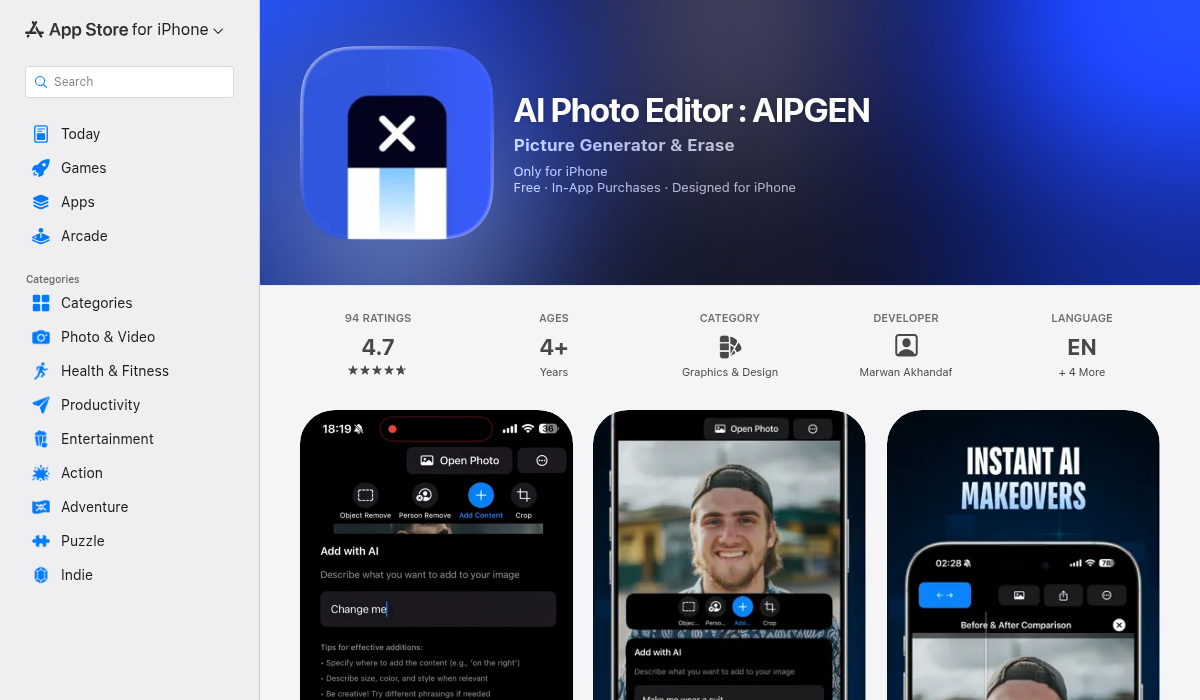
AIPGEN takes a different approach to batch-style workflows. Rather than traditional batch processing, it offers 60+ AI templates that let you apply consistent editing styles across multiple images quickly.
Where AIPGEN really shines is in the quality of individual edits. The AI object removal is exceptional — perfect for removing distracting elements from product shots without leaving artifacts. The restoration features can rescue older product photos that have degraded, and the background manipulation is precise.
For product photographers who need a balance of speed and quality, the template approach offers an interesting middle ground. Select a template, apply it across your catalog, and achieve consistency without sacrificing the sophisticated AI editing that makes each image look professionally retouched.
- ✅ 60+ AI templates for consistent styling
- ✅ Superior object and distraction removal
- ✅ Excellent for removing watermarks, text, unwanted elements
- ✅ Before/after slider for quality verification
- ✅ Built-in camera — photograph and edit in one app
- ✅ Cross-platform (iOS and Android)
- ✅ Free trial edit available
- ❌ Not traditional batch processing — template-based workflow
- ❌ Best for quality over pure volume
Choosing the Right Tool for Your Workflow
The "best" batch editor depends entirely on your specific situation:
If volume is everything: Photoroom handles thousands of images efficiently. For sellers processing 500+ photos weekly, the subscription pays for itself in time saved.
If you need creative flexibility: AIPGEN's template system combined with powerful AI editing tools gives you more control over the final look. Ideal for brands that want their product photos to have a distinctive style.
If budget is tight: Pixlr's web-based approach handles basic batch operations without a major investment. Good for getting started before scaling up.
If quality matters most: AIPGEN's AI editing quality surpasses most batch tools. When each product photo needs to look exceptional — not just acceptable — the extra attention pays off in conversion rates.
Pro Tips for Faster Product Photo Workflows
- Standardize your shooting setup — Consistent lighting and angles mean less correction needed in post. A $30 lightbox creates remarkably uniform results.
- Shoot at maximum resolution — Crop down later for different platforms rather than re-shooting. One shoot, multiple outputs.
- Create templates for each platform — Amazon, Etsy, and Instagram have different requirements. Save presets so you're not recreating the wheel each time.
- Process by category — Edit all your jewelry photos together, then all your clothing. Similar products need similar adjustments, making batch editing more effective.
- Keep originals always — Store untouched files separately. Marketplace requirements change, and you'll thank yourself for having the source files.
- Use your phone strategically — Apps like AIPGEN let you photograph and edit on the same device, eliminating the transfer step that slows many workflows.
The Quality vs. Speed Trade-off
Here's the honest truth about batch editing: there's always a trade-off between volume and quality. Tools optimized for processing thousands of images make compromises on individual attention. Tools that produce exceptional results take longer per image.
For high-ticket items where a single product photo can influence a $200+ purchase decision, investing extra time in quality makes financial sense. A jewelry brand or premium furniture seller benefits more from AIPGEN's refined AI editing than from blasting through images at maximum speed.
For high-volume, lower-ticket items — think dropshipping catalogs or vintage resale — pure batch processing tools like Photoroom optimize for the right variable: time.
Most successful sellers actually use both approaches: batch tools for basic catalog maintenance, quality-focused AI editing for hero images and featured products.
The Bottom Line
AI batch editing has genuinely transformed product photography workflows in 2026. What once required hiring an editing service or spending entire weekends in Photoshop can now be accomplished in hours.
The key is matching the tool to your needs. Photoroom excels at volume. AIPGEN delivers on quality and creative flexibility. Pixlr and Fotor serve as capable budget options for simpler requirements.
If you're still manually editing each product photo, you're leaving both time and money on the table. Pick a tool, run your first batch, and reclaim those hours for actually growing your business.
For sellers who want exceptional AI editing with template-based consistency, AIPGEN offers a free trial edit to see if the quality difference matters for your products.