
Best AI Apps for Removing Braces from Photos
You've got the perfect smile now, but your old photos are stuck with metal brackets and wires forever — or are they?
Whether you're finally getting your braces off, looking back at photos from your orthodontic journey, or just want to visualize your future smile, removing braces from photos has become one of the most requested photo editing tasks. And thanks to AI, what used to require expensive professional Photoshop work can now be done in seconds on your phone.
Why People Want Braces Removed from Photos
Braces are temporary, but photos last forever. After spending 18-24 months with metal in your mouth, you want your photos to reflect the real you — not the transitional version. But the reasons go beyond vanity:
- Professional headshots — Some people get braces as adults and need clean photos for LinkedIn or company websites
- Wedding photos — Timing doesn't always work out, and some brides/grooms want braces-free memories
- Visualizing results — Many people want to see what they'll look like after treatment to stay motivated
- Memorial photos — Families sometimes want to edit braces out of photos for memorials or tributes
"I would like to see my face with my straighter teeth, but I can't seem to visualize them without my braces. I have tried AI, but it 'cleans' my face too much."— Reddit user in r/PhotoshopRequest
This is the core challenge: removing braces without making the photo look obviously edited. The teeth need to look natural — not AI-generated or over-smoothed.
The Challenge of Braces Removal
Braces are surprisingly difficult to edit out of photos. Unlike removing a photobomber or an unwanted object, braces are attached to teeth — which means the AI needs to:
- Recognize and isolate the metal brackets and wires
- Reconstruct realistic teeth underneath
- Maintain natural tooth color and texture
- Keep shadows and lighting consistent
- Preserve the person's unique smile shape
Cheap AI tools often fail at step 3 and 5 — they create generic "perfect" teeth that look obviously fake, or they over-smooth the entire face. The best tools understand that teeth have natural imperfections and that smiles are unique.
Best AI Apps for Removing Braces
1. LightX
LightX offers a dedicated "No Braces Filter" that specifically targets orthodontic hardware. It uses AI to detect braces and replace them with natural-looking teeth.
- ✅ Dedicated braces removal tool
- ✅ Preserves natural smile shape
- ❌ Can struggle with ceramic/clear braces
- ❌ Subscription required
2. Facetune
Facetune's teeth tool can be used to manually paint over braces, though it requires more skill than automated options. It's more of a general retouching tool.
- ✅ Manual control for precise edits
- ✅ Additional face editing features
- ❌ Steeper learning curve
- ❌ Time-consuming for braces removal
3. Simplified
Simplified's Photo Eraser includes a braces removal feature that uses AI-powered object removal for natural smile correction.
- ✅ Web-based — no download required
- ✅ Multiple AI editing tools
- ❌ Results can vary by photo quality
- ❌ Limited free uses
4. AIPGEN — AI Photo Editor
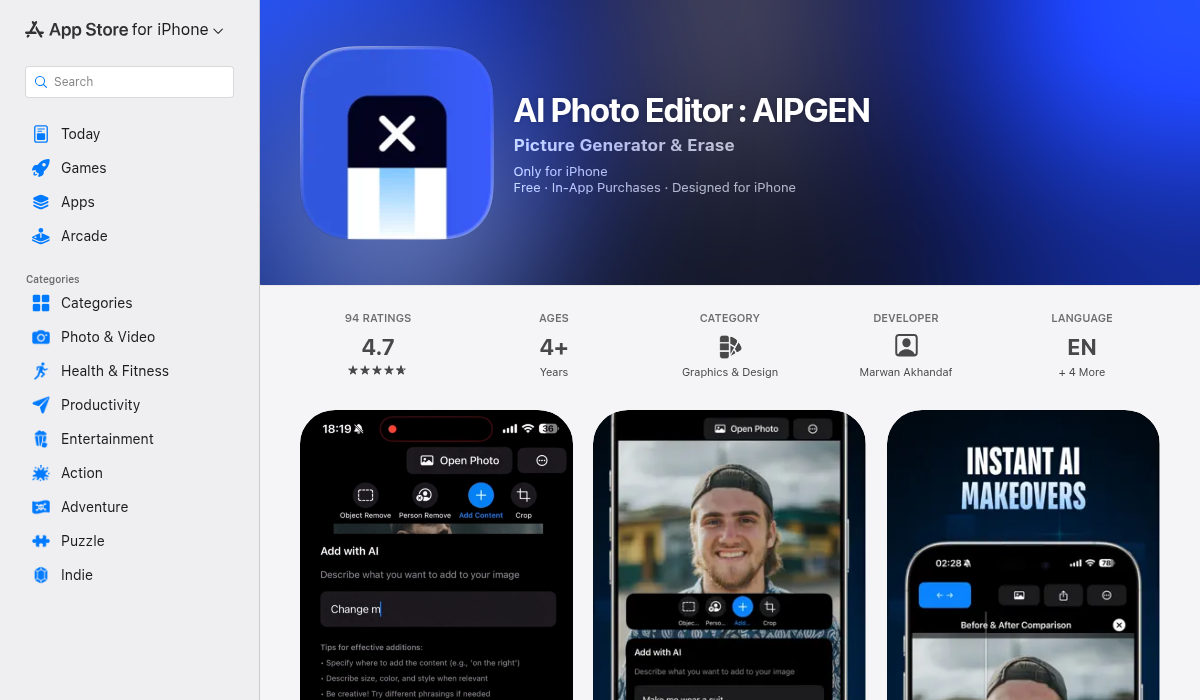
AIPGEN takes a different approach — instead of offering a specific "braces filter," it provides powerful AI object removal that works on anything, including braces. You highlight the area you want removed, and the AI reconstructs what should be underneath.
What makes AIPGEN stand out for braces removal:
- ✅ Precise object selection — Highlight exactly the brackets and wires
- ✅ Intelligent reconstruction — AI fills in realistic teeth, not generic ones
- ✅ Before/after slider — Compare original and edited versions instantly
- ✅ 60+ AI templates — Additional editing options for the perfect result
- ✅ Photo restoration features — Great for older photos that also need touch-ups
- ✅ One free edit — Try it before subscribing
The object removal approach gives you more control than one-click filters. You can selectively remove metal brackets while keeping ceramic attachments, or remove only the wire while keeping subtle brackets — whatever looks most natural for your specific situation.
Pro Tips for Natural-Looking Results
- Start with a high-quality photo — The clearer your teeth are in the original, the better the AI can reconstruct them
- Good lighting matters — Photos with even lighting on the teeth produce more natural results
- Select carefully — Only highlight the metal parts, not the surrounding teeth
- Multiple passes — Sometimes doing brackets first, then wires separately, yields better results
- Compare with the slider — Use before/after comparison to ensure the result looks natural
What About Professional Photoshop?
Reddit's r/PhotoshopRequest is full of people asking professionals to remove braces from photos. These requests often come with tips offered — typically $10-20 for quality work.
"Can anyone remove the braces on the woman in black and also clear up the picture so there's no haze? Will tip $10 to my favorite!"— Reddit user in r/PhotoshopRequest
Professional editing still produces the best results for complex cases. But for most photos, AI apps now match or exceed what you'd get from a quick Photoshop job — and they're instant and free (or low-cost subscription).
When to Use Each Option
Here's a quick guide for choosing the right approach:
| Situation | Best Option |
|---|---|
| Quick social media post | AIPGEN or LightX — fast AI removal |
| Professional headshot | AIPGEN with careful selection + templates |
| Wedding/important photo | Professional Photoshop or AIPGEN with multiple passes |
| Old/damaged photo with braces | AIPGEN — combines restoration + removal |
| Visualizing future smile | Any AI option — accuracy less critical |
Beyond Braces: Other Dental Edits
Once you're comfortable with braces removal, the same tools can help with:
- Teeth whitening — Brighten your smile naturally
- Removing retainers — Clear aligners can catch light annoyingly
- Fixing closed-mouth smiles — Some AI tools can even add teeth to closed-lip photos
- Removing food particles — We've all been there
The Bottom Line
Removing braces from photos used to require professional editing skills or paying someone on Reddit. In 2026, AI-powered apps can do it in seconds — often with results that look completely natural.
The key is choosing an app with intelligent AI that reconstructs realistic teeth rather than generic perfect ones. Tools that give you control over what gets removed (like AIPGEN's object selector) generally produce better results than one-click filters.
If you want to try removing braces from your photos, AIPGEN offers one free edit so you can test the results before committing. Its before/after slider makes it easy to see exactly what the AI changed — and undo anything that doesn't look natural.